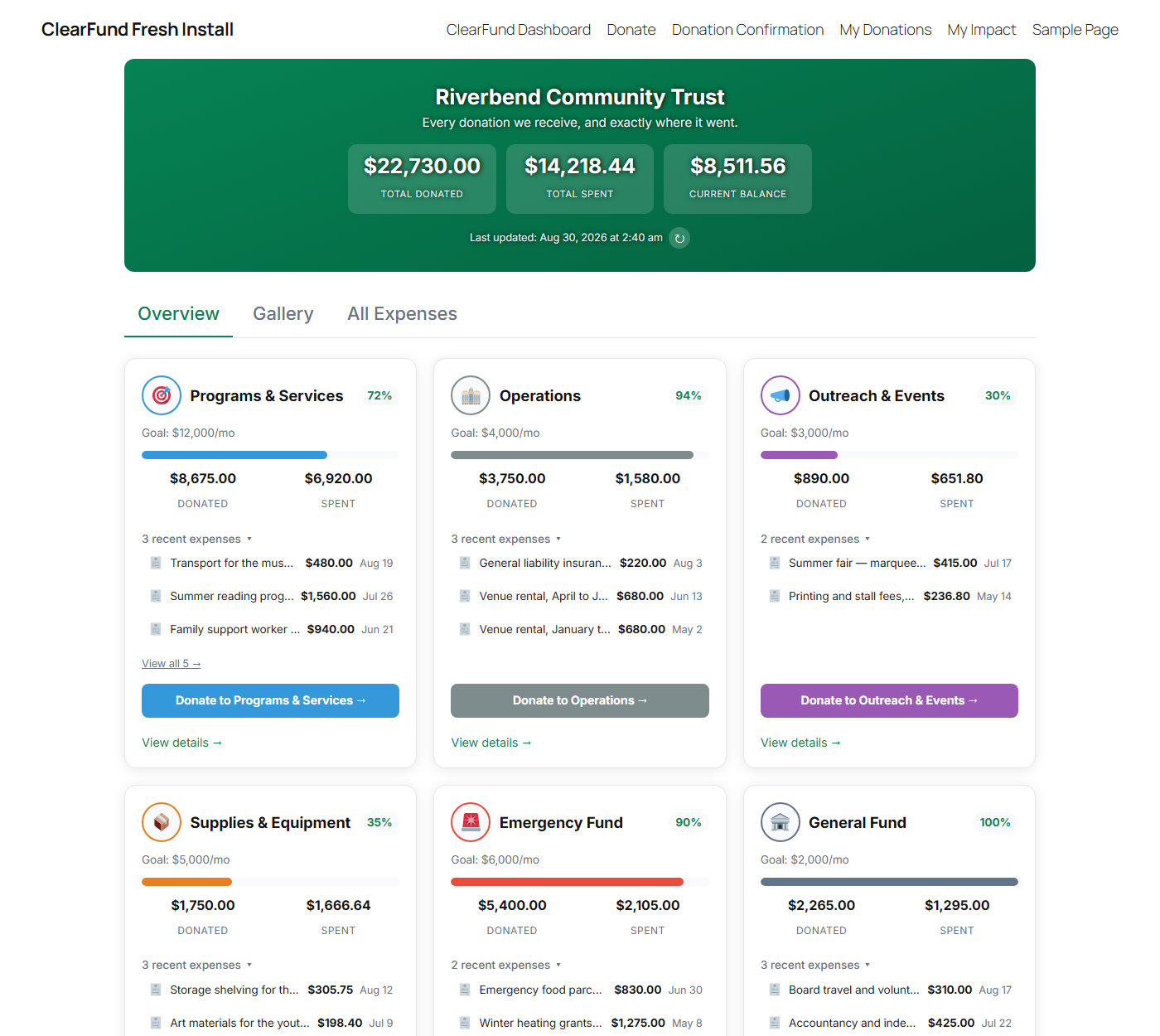
ClearFund publishes a live, receipt-backed transparency page on your own WordPress site — every category you raise for, everything you spend, and a photograph of each receipt.
Free and unlimited. No category cap, no expiring trial.
Someone gives your organization $50, receives a thank-you email, and then hears nothing ever again. They never find out whether it bought school books or disappeared into overheads.
That silence is the single biggest reason first-time donors don’t give twice.
ClearFund closes that gap. No spreadsheets emailed on request, no annual PDF nobody opens — your supporters can check for themselves, whenever they like.
ClearFund doesn’t take payments. It works alongside the donation plugin you already use and pulls the money in automatically.
GiveWP and MissionWP donations sync automatically, attributed to the category the donor chose. Cash, bank transfers and grants get recorded by hand, so the public picture includes money that never touched your website.
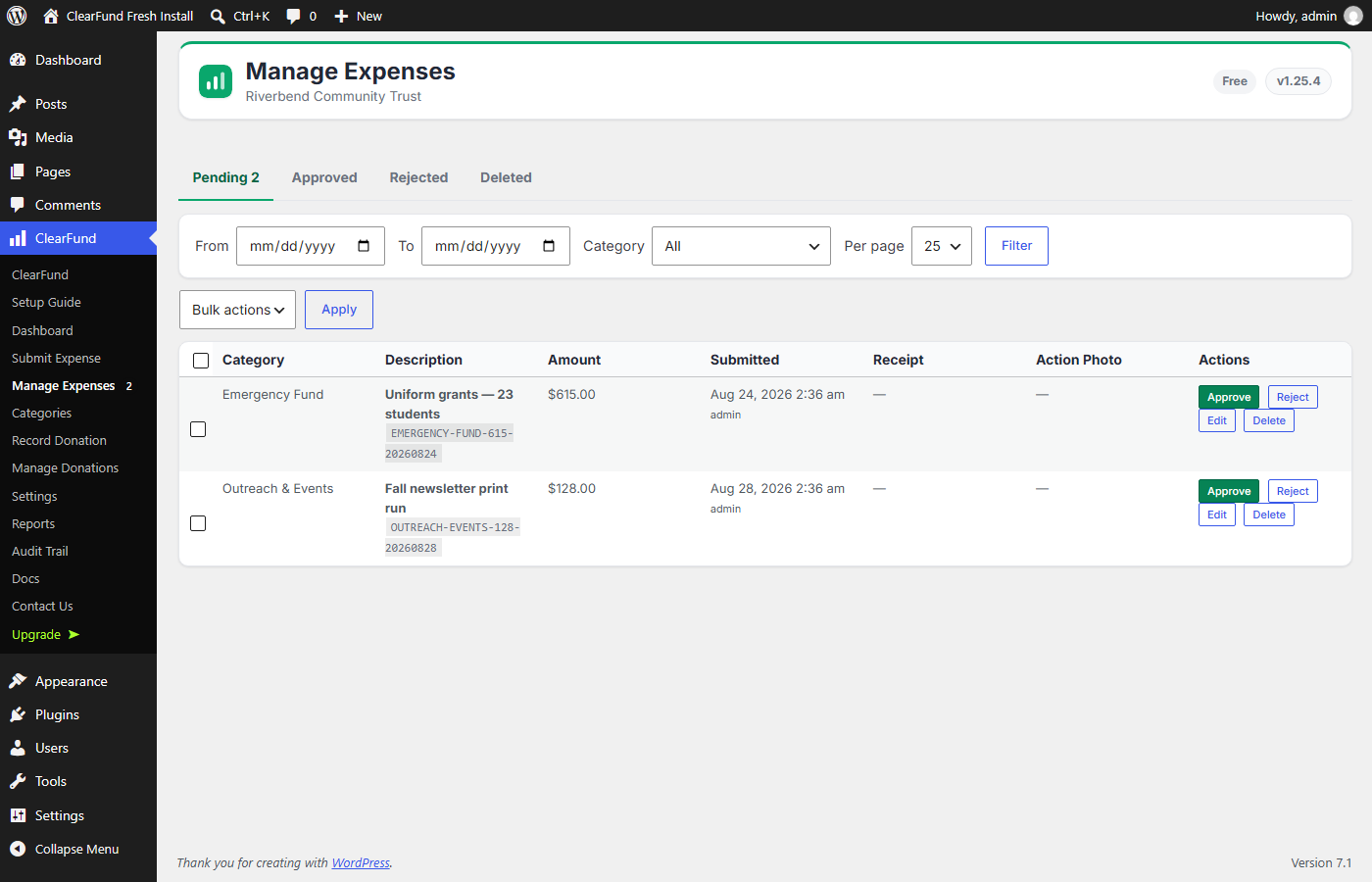
From their phone, with a receipt photo attached and an optional “in use” action shot. Expenses stay private until an administrator approves them.
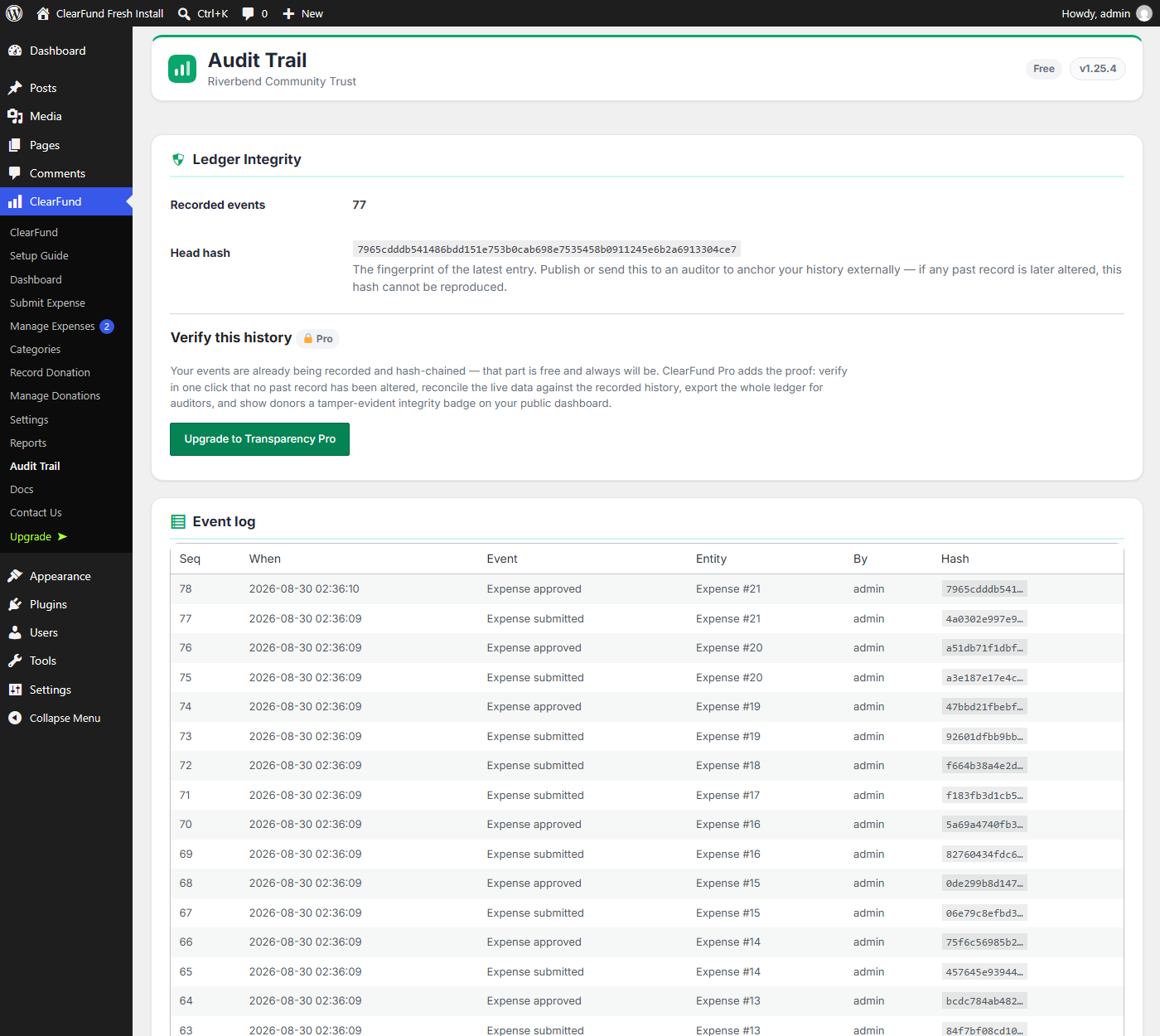
Approved expenses appear on your transparency dashboard with their receipts. Every donation and expense is hash-chained into a tamper-evident ledger as it happens.
This is the journey your donors currently cannot see — and the one ClearFund puts on a public page.
The donor picked School Books in the donation form itself, so the money lands in that category rather than in one undifferentiated pot. Nothing is allocated by hand later, and nothing is guessed.
School Books now shows what it has raised against its goal, publicly, updated the moment the donation clears. Every category you raise for gets its own running total, its own balance, and its own goal bar.
Field staff submit expenses from their phones with the receipt photographed. Once an administrator approves them, they appear on the public page — so the donor can see the exercise books their $50 actually bought.
With Pro, that donor signs in and traces their own gift to these exact purchases on a personal My Impact page, and gets an email when it happens.
Five real ledger entries, hashed in your browser right now with the same HMAC-SHA256 chain the plugin writes. Change any amount and watch what happens.
Five entries from a ClearFund ledger, with the hash each one is chained by.
Patching the entry you edited only moves the break down one row — its successor still points at a hash that no longer exists. To hide a single altered figure you would have to rewrite every entry after it. And this demo has already handed you the site’s secret key, which a database-only compromise would never have.
On your own site, this runs for real. Every donation and expense is hash-chained as it happens, on every install, free — and reading the log and the head hash is free too. Pro adds verification on demand, reconciliation against your live data (which catches edits made directly in the database), auditor export, and a public integrity badge.
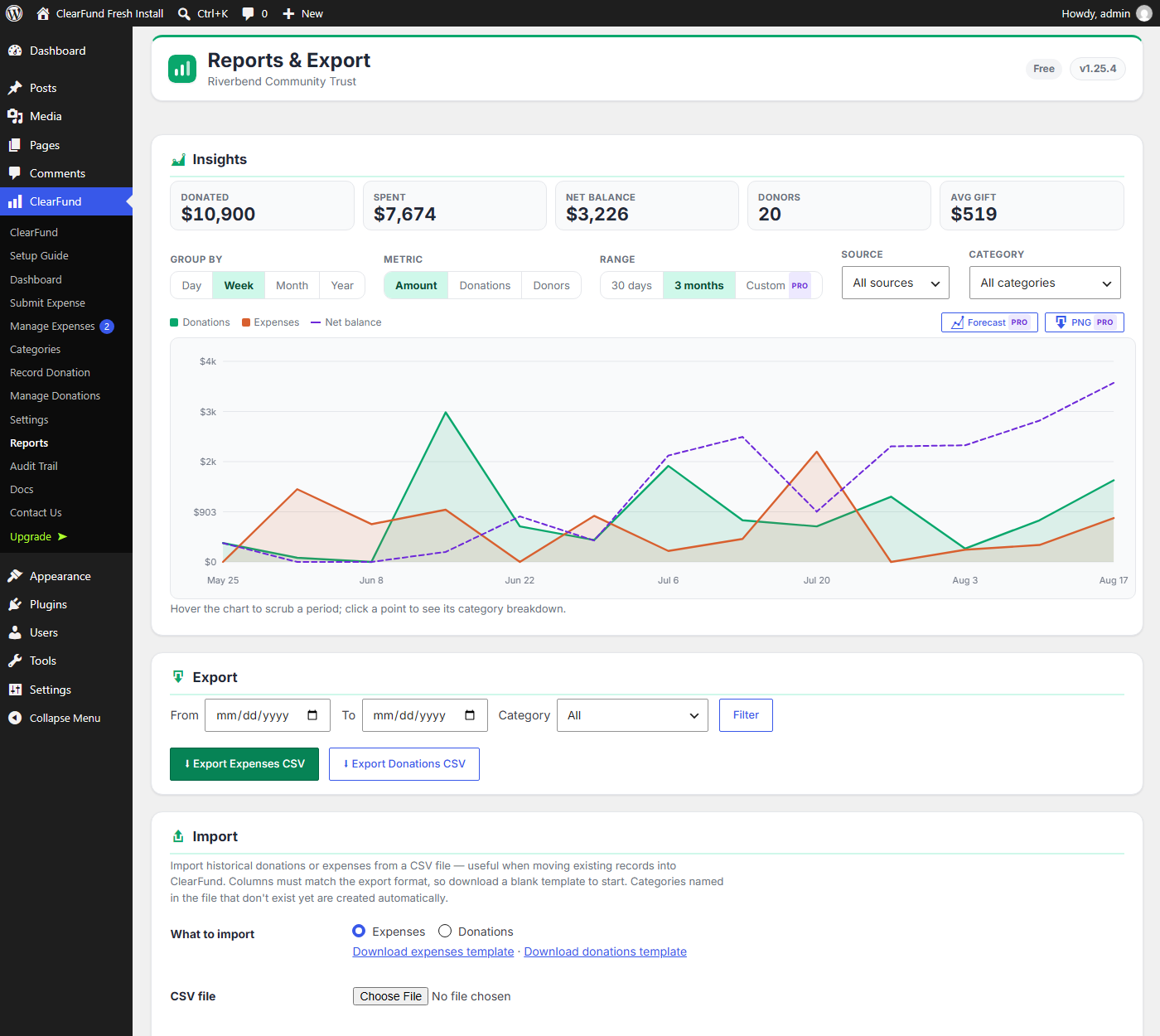
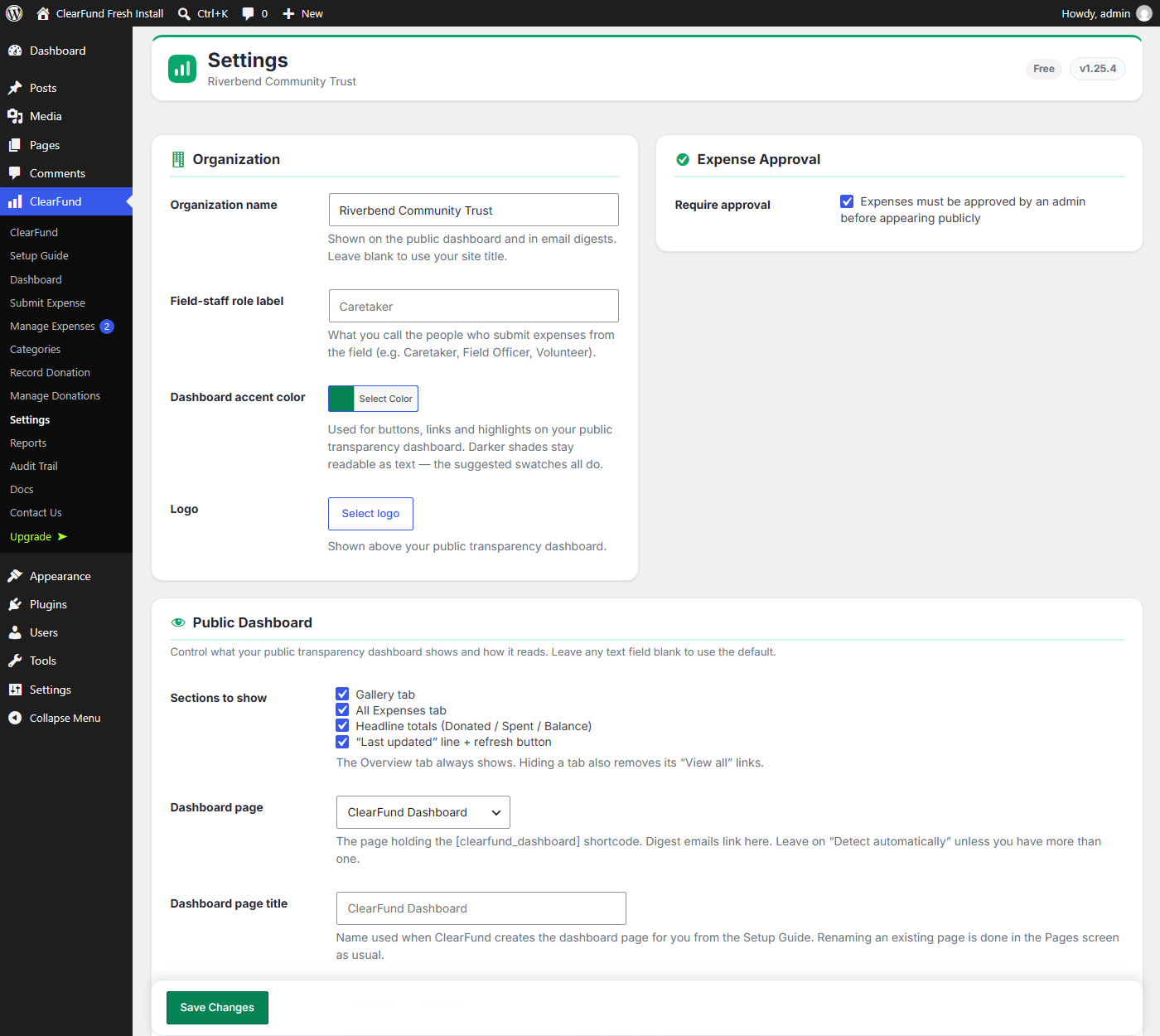
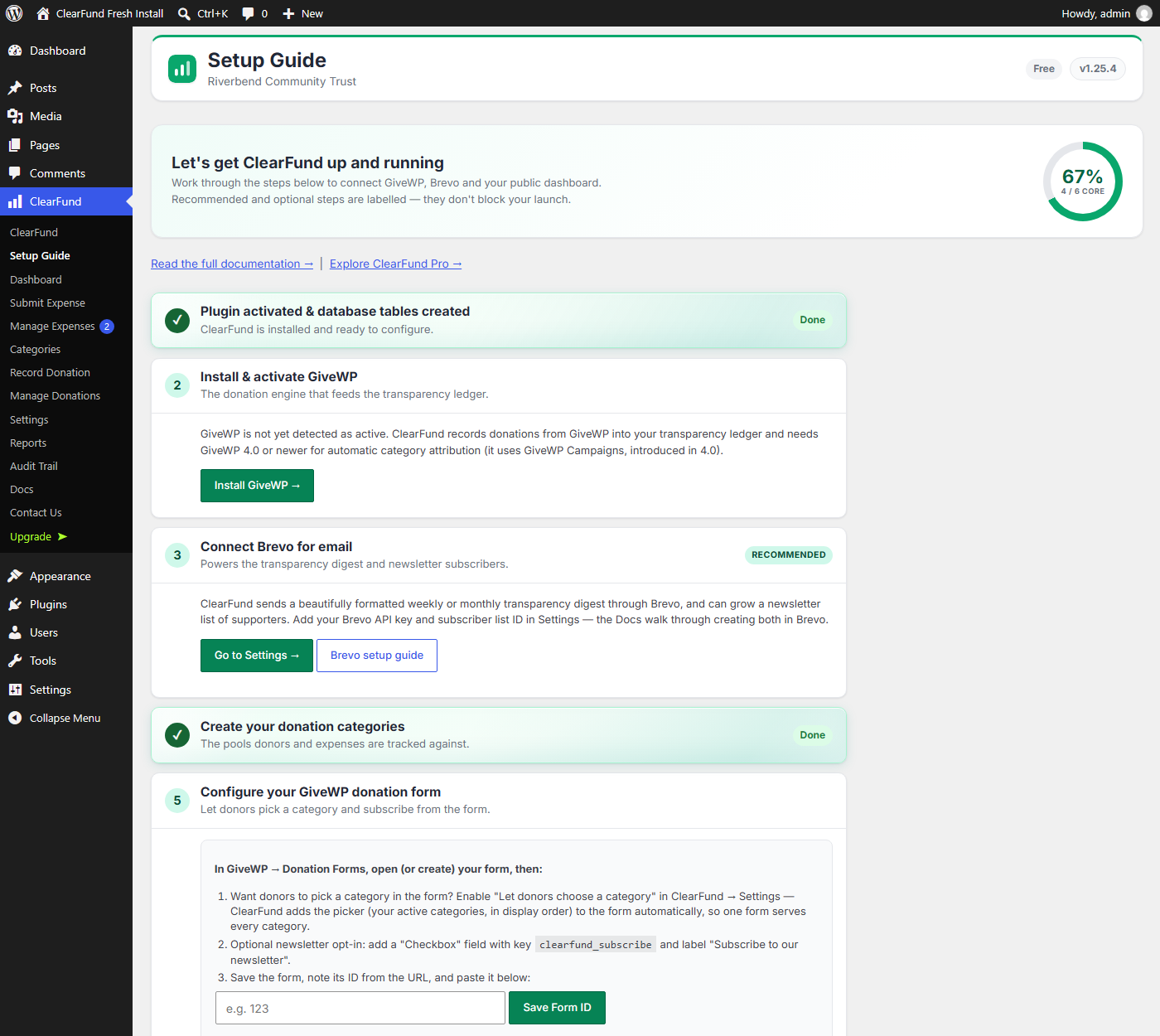
Every screen below is a real install, not a mockup.


Everything you need to run a transparent ledger is in the free plugin — there is no cap on categories, expenses, donations or traffic.
Free — on WordPress.org
Or search “ClearFund” under Plugins → Add New in your WordPress admin. Want to look first? Try it on the demo — the same build, with Pro switched on.
See current pricing at checkout
Pro is a separate download, not an unlock. The plugin you install from WordPress.org contains only the free features; the Pro code is not present in it in any form, and nothing in it can be switched on by a license key, constant or setting. Buying Pro downloads a different, larger build that replaces it. Cancelling reverses that — you go back to the free build, and your data stays where it is.
No. ClearFund records and reports where donations are allocated and spent. Collection is handled by GiveWP, MissionWP, or whatever payment setup you already have.
WordPress 6.0 or newer and PHP 8.0 or newer. GiveWP 4.0+ is recommended for recording donations — automatic category attribution uses GiveWP Campaigns. On older GiveWP, donations are recorded under the General Fund.
Administrators and users with the dedicated field-staff role (labelled “Caretaker” by default, and renameable). Regular subscribers cannot submit expenses or upload files.
Yes, with Pro. Set a base reporting currency and an optional secondary currency; expenses entered in the secondary currency are converted automatically using a free ExchangeRate-API key.
Add the [clearfund_dashboard] shortcode to any page, or use the block. It shows each category’s donated, spent and remaining balance, plus receipts and photos for every approved expense. Pro adds a personal page where a signed-in donor traces their own gift to the exact purchases it funded.
ClearFund works without any external service. The optional ones — Brevo for newsletters, ExchangeRate-API for conversion, Freemius for license validation and updates — only make contact when you turn them on. Diagnostic data is sent only if you opt in when activating.
The demo is a real ClearFund install with four months of invented data for a fictional charity. Click around the public dashboard, or sign straight in to the admin — it is read-only, so nothing you touch can break it.